
Contents
Overview
Receive an automated email notification when a product's Free Quantity falls below its designated Minimum Safety Stock Quantity. Free Quantity accounts for inventory already allocated to open orders, providing a more accurate view of available inventory.
The notification email includes an Excel attachment listing all affected SKUs. Notifications are sent daily for as long as one or more SKUs remain below their minimum safety stock quantity.
Notifications are sent from info@badgerfg.com (no reply).
By default, all Operational Contacts are configured to receive low inventory notifications. To add or remove recipients, submit a Request Support form in the Help Center.
Activate Notifications
To activate low inventory notifications, assign a Minimum Safety Stock Quantity to at least one SKU in your Products Dashboard. A unique minimum safety stock quantity can be configured for each product SKU.
Dashboard → Settings → Products
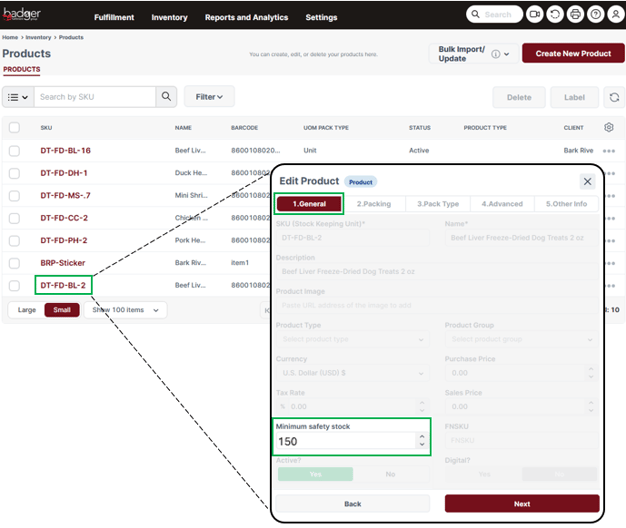
Be sure to save your changes under the Other Info tab:
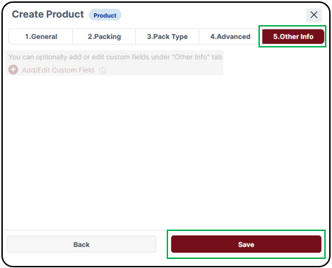

You have successfully updated the product's Minimum Safety Stock Quantity. You will receive an automated email notification when the product's Free Quantity falls below the configured threshold.
Bulk Update Minimum Safety Stock Quantities
If you need to update the Minimum Safety Stock Quantity for multiple SKUs, you can import the values using an Excel template.
- Download the Badger Bulk Update Safety Stock Quantities Excel Template. Enter the Minimum Safety Stock Quantity for each applicable SKU, then save the file.
- Navigate to the Bulk Update Products page.
Dashboard → Settings → Products → Bulk Import/Update → Products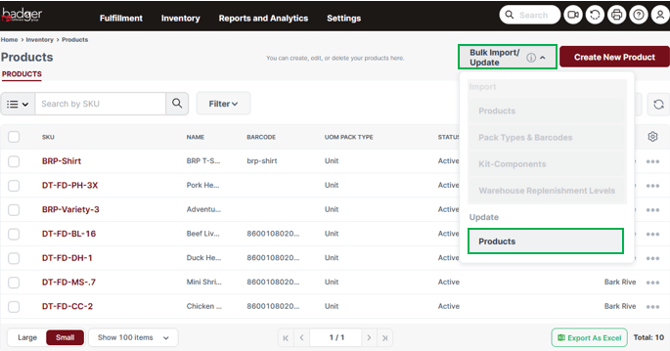
- Drag and drop the completed Excel file into the upload window, or click to browse and select the file. Once the file appears below the upload area, click Upload, then click Import on the next screen.
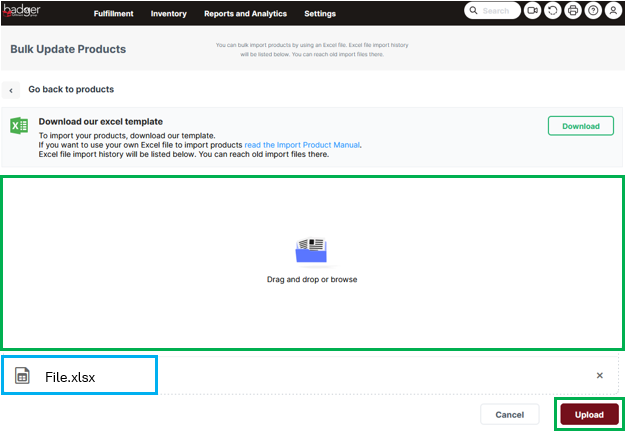
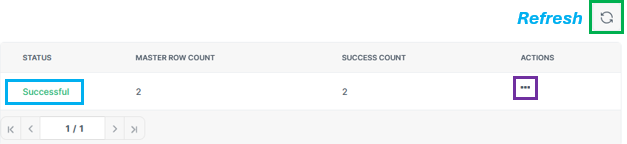
- Monitor the import status in the lower panel (you may need to click Refresh). A successful import will display a status of Successful. If the import is unsuccessful, select the three dots under Actions, then click Details to review the error messages and make any necessary corrections before re-importing.
- After the import is complete, verify that the Minimum Safety Stock Quantity values were updated correctly in your Products Dashboard.