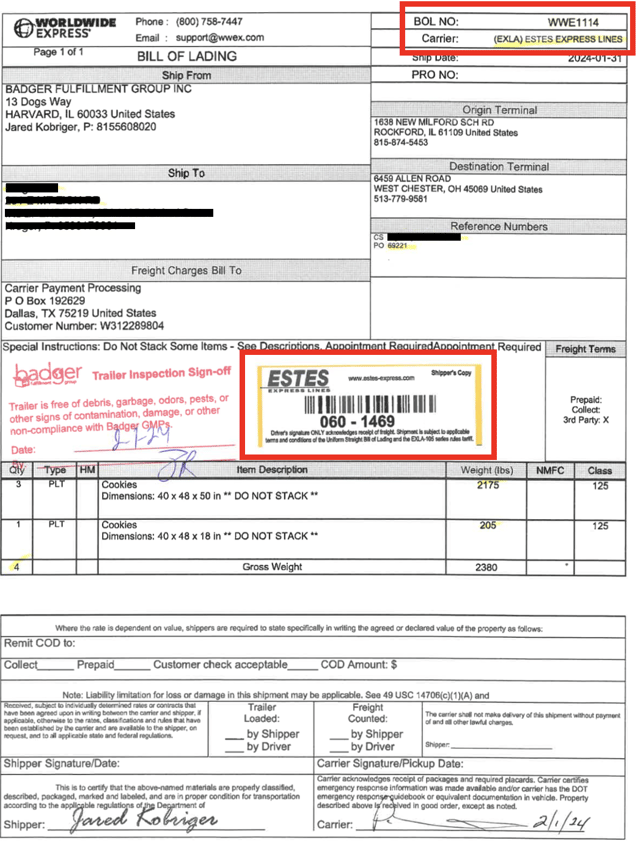
When a pallet shipment is picked up, the freight driver applies a tracking # sticker on all pallets and the BOL (this is what physically links the pallets to the Bill of Lading). Transit status is updated on the carrier website as the pallets get scanned at different terminals (check points) along the way to the final destination.
Track a pallet shipment via carrier website using the BOL number or tracking # ("Pro Number"), provided on the scanned BOL; no account info or login is required to check shipment status on carrier websites.
Once a pallet shipment is picked up at Badger, the signed BOL will get scanned over to the customer email(s) on file (typically within 24hrs).
Example:
Bill of Lading Number: WWE1114
Carrier Name : Estes Express Lines
Estes Pro / Tracking Number [sticker]: 060-1469
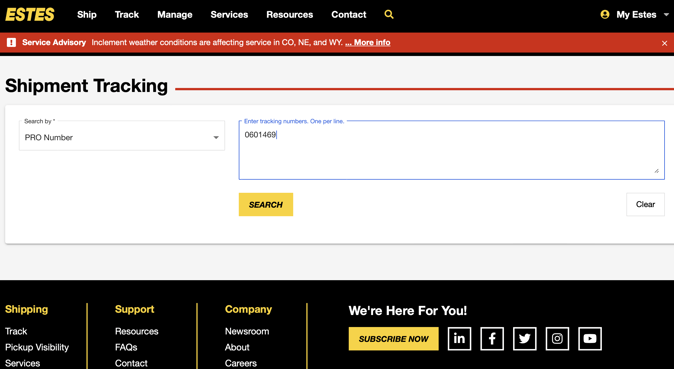
On the respective carrier website, find the Shipment "Tracking" section, and enter either the Pro Number or BOL Number:
Example 1 - Estes website:
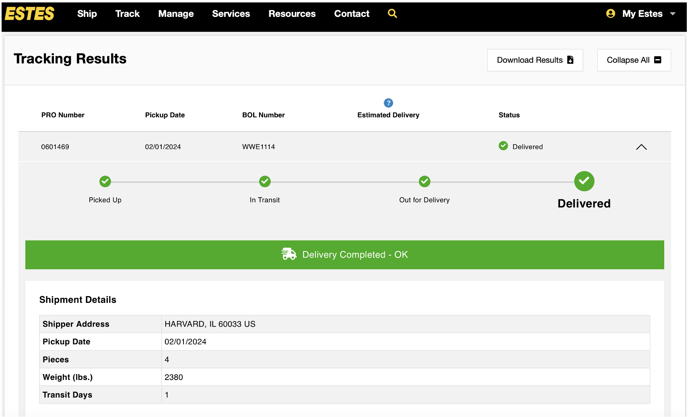
Example shipment status on Estes website:
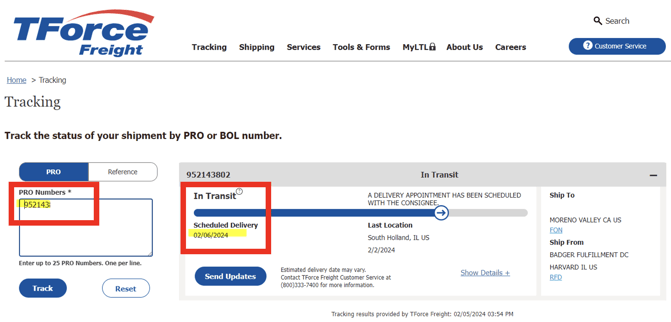
Example 2 - TForce website: